Herds group your cattle by pasture, purpose, or any other way that fits your operation. New cattle stay unassigned until you put them in a herd.
-
Sign in to Ranchr and choose your company. Ranchr opens your dashboard.
-
Select the Herds tab in the top navigation.
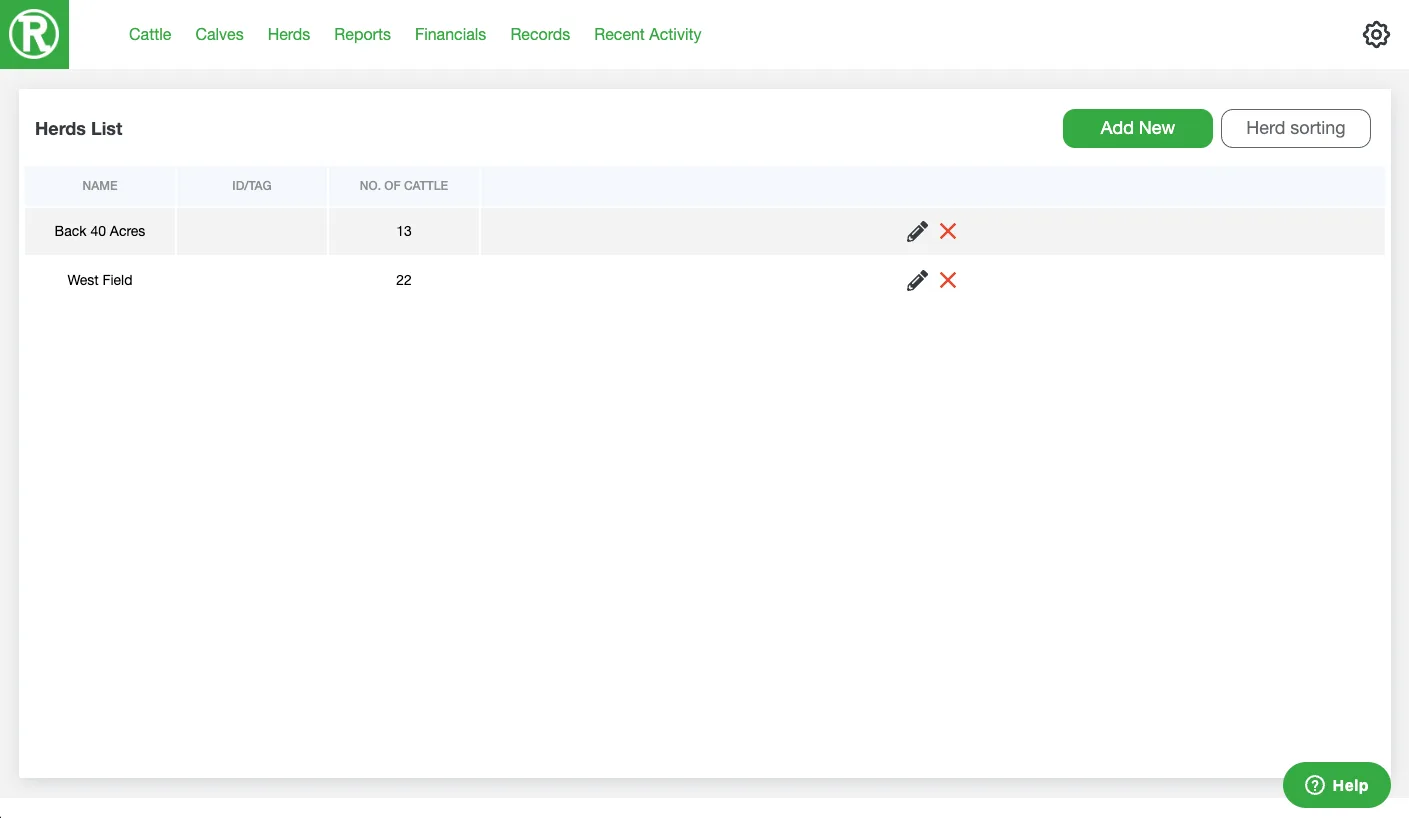
The Herds page lists each herd and how many cattle it holds. -
Select Add New in the top right.
-
Enter a name for the herd. Replace the default name with one you will recognize later, such as a pasture name.
-
Select the cattle you want in this herd from the list under the name.
-
Select Save in the lower right. The new herd now appears on your Herds page.
 in the top navigation.
 in the top right.
 in the lower right. The new herd now appears on your Herds page.
Edit a herd
Select the pencil icon next to a herd to rename it or to change which cattle belong to it. Repeat the steps above for each additional herd you want to create.
 next to a herd to rename it or to change which cattle belong to it. Repeat the steps above for each additional herd you want to create.